
Originally Posted On: https://www.ucanpack.com/blog/post/how-to-label-cardboard-shipping-boxes-so-carriers-scan-them-on-the-first-try
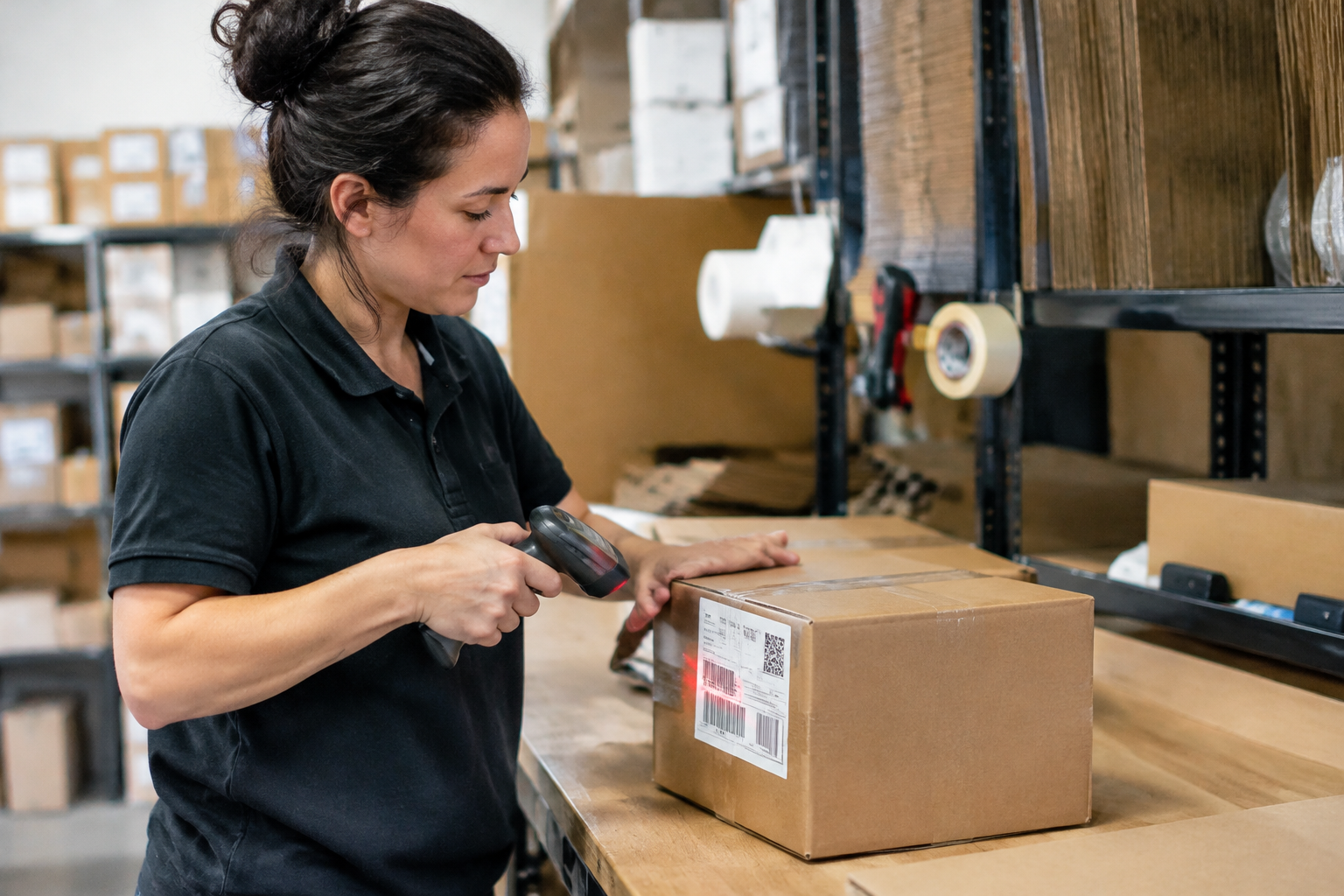
Before You Start
Labeling takes about two minutes per box once your station is set. Getting it right the first time saves you from relabels, rerouted parcels, and "where's my order?" emails.
What You Need
-
A sturdy box: plain kraft cardboard shipping boxes with a clean, flat top panel. Single-wall corrugated works for most orders under 20 lbs.
-
A printer: a 4×6 thermal printer is best. A standard inkjet or laser printer also works if you print at 100% scale (no "fit to page").
-
Label stock: 4×6 thermal labels, or full-sheet adhesive labels that you cut in half. Plain paper plus tape is a last resort.
-
Clear packing tape: 2-inch width, to seal over the label on paper-printed versions.
-
A permanent marker: for handling marks like "This Side Up" and for a quick return address.
-
A smartphone: to scan your own barcode before the box leaves your table.
Skill Level
-
Beginner. No packaging background needed.
-
If you can print a PDF and use tape, you're set.
-
Shipping 50 to 1,000 orders a month? This routine scales without extra gear.
Setup Check Before Step 1
-
Clear a flat, well-lit work surface. Glare hides smudges.
-
Test-print one label and look at the barcode. The bars should be solid black with sharp edges.
-
Keep a few spare boxes nearby for any label that goes on crooked.
-
Have your carrier's label format open so you know the size it expects.
What You'll Have by the End
-
A repeatable labeling routine you can run on every order.
-
Labels that sit flat, stay fully visible, and scan in one pass.
-
A backup label inside each box, so a damaged outer label doesn't strand the package.
-
A quick fix plan for any box that fails a scan.
Tip: Run your first five boxes slowly and scan each one with your phone. After that, it's muscle memory.
One unreadable barcode can send a package into a sorting-center black hole. It happens more than most sellers realize. A label gets scuffed, a scanner can't read it, and a worker has to key in the address by hand. Or worse, the box gets set aside for a rescue that never comes.
Here's what that looks like in practice.
You ship 200 orders a month, and maybe six of them stall because of a bad label. That's six annoyed customers, six "where's my order?" emails, and a few replacements you'll pay for twice. Sturdy cardboard shipping boxes protect what's inside, sure. But the label on the outside decides whether the box actually moves.
The good news? Nearly every failed scan traces back to a handful of fixable habits. Surface, print quality, placement, and a backup. Get those four right and carriers read your boxes on the first pass, almost every time.
What You'll Learn, What You Need, and How to Set Up Your Packing Station
A seller packs 40 orders on a Sunday night, slaps handwritten labels on each box, and by Wednesday six have bounced back with "address unreadable" stamps. Sound familiar? Most scan failures trace to the same few setup mistakes, and you can fix them before the first label prints.
Prerequisites: Printer, Label Stock, Tape, and a Sturdy Box
You need four things. Skip one and the whole job gets sloppy.
-
Thermal or laser printer: Smudgy inkjet barcodes fail scans more than anything else.
-
Label stock: 4×6 adhesive sheets or rolls work for every major carrier.
-
Clear packing tape: 2-inch width, wide enough to cover label edges.
-
A sturdy box: Quality cardboard shipping boxes hold their shape, so the label stays flat.
Plain surfaces help too.
Smooth white shipping boxes give a barcode high contrast and a clean place to stick it.
Setup Check: Pick the Right Spot on Corrugated Cardboard Shipping Boxes
Pick the largest flat panel. Always the top. Keep the label at least an inch from every edge, seam, and tape line.
Why? A barcode that wraps around a corner or crosses a flap seam bends — scanners can't read bent lines. Before you peel the backing, run your hand across the spot. If it feels ridged or bumpy, move over.
Step 1: Choose a Box Surface That Holds a Scannable Label
A label is only as good as the surface under it. Scanners read contrast and clean barcode edges, so a smooth, matte, flat panel matters more than the label itself. Plain brown cardboard shipping boxes give you that. Buying bulk shipping boxes in one consistent style also means your packers apply labels the same way every time.
Tip: Why Plain Kraft Corrugated Boxes Beat Glossy or Heavily Printed Ones
Kraft is porous. Adhesive grips it, ink stays put, and the barcode lies flat. Glossy coatings do the opposite: labels peel at the corners, and glare bounces back at the scanner's laser. Dark, full-coverage prints kill contrast. Stick with these:
-
Plain kraft corrugated with an uncoated top panel
-
A flat area at least 4×6 inches, clear of seams
-
Single-wall boxes that don't bow when taped
Not sure what to order? Ask your shipping supplier for samples and test a label on each.
If This Goes Wrong: Old Labels, Printed Logos, and Wrinkled Flaps
Reused boxes cause most misreads. An old barcode sitting under a new one confuses the scanner. Cover it completely or, better, peel it off. Never place a label over a printed logo, and never wrap it across a seam or a flap edge. Wrinkles break the bars apart.
Quick fix? Smooth the label from the center outward, then cover it with clear tape. Still wrinkled? Print a fresh one.
Step 2: Print the Shipping Label at the Right Size and Quality
Why do some labels scan instantly while others get kicked to a manual sort bin? Usually it's the print, not the carrier. A clean label on heavy duty shipping boxes still fails if the barcode is blurry or shrunk.
Note: 4×6 Thermal vs. Standard Paper, and Why Barcode Contrast Matters
Thermal printers produce sharp, black-on-white 4×6 labels that stick well to corrugated cartons. Standard paper works too. Print at 100% scale, then tape over the label with clear tape or use a half-sheet adhesive sheet.
-
Thermal 4×6: fast, smudge-resistant, no ink to buy.
-
Paper: fine for low volume, but use fresh ink and the "best" quality setting.
-
Contrast: dark bars on a bright white background. Kraft-brown box surfaces are too dark to print on directly.
Keep the barcode away from tape seams and box edges. Scanners can't read bars that bend around a corner.
If This Goes Wrong: Smudged Ink, Faded Barcodes, and Scaled Prints
Check the label before it goes on the box.
Run a thumb across it. Ink that smears is a reprint.
-
Faded bars? Replace the toner or ink cartridge, then reprint.
-
Label looks small? Turn off "fit to page" and set scaling to 100%.
-
Streaky thermal print? Clean the print head with isopropyl alcohol.
Reprinting costs a minute. A rejected parcel costs days.
Step 3: Place and Seal the Label on the Largest Flat Panel
Roughly 1 in 5 label scan failures trace back to placement, not print quality. A perfect barcode on a bumpy surface still reads badly. So pick the top panel of your cardboard shipping boxes, since it's usually the biggest and flattest face.
Here's how to do it right:
-
Wipe the panel with a dry cloth. Dust kills adhesive.
-
Peel the backing and lay the label down from one edge, smoothing as you go.
-
Press from the center outward to push out air bubbles.
-
Cover the label with clear tape, but only if the tape is smooth and glare-free. Skip the shiny stuff over the barcode itself.
Sellers who buy wholesale shipping boxes in white get an extra edge, because the clean, bright surface gives scanners strong contrast. Brown kraft works fine too. Just keep it flat.
Tip: Keep Labels Off Seams, Edges, and Tape Overlaps
A label that wraps a corner or sits across a flap seam will crease. Creases split barcode lines. Keep at least one inch of clearance from every edge and from the center seam.
Expected Result: A Flat, Fully Visible Barcode That Scans in One Pass
Run a finger across the label. It should feel smooth, with no ridges or lifted corners. Every bar should be unbroken and readable from arm's length. That's the standard.
Step 4: Add Handling Marks, Return Info, and a Backup Label Inside
Most sellers think the outside label does all the work. It doesn't. Labels get scuffed, soaked, or ripped off in a sorting hub, and a lone shipping label on cardboard shipping boxes is a single point of failure.
Fix that in three quick moves:
-
Add handling marks. Put "Fragile" or "This Side Up" stickers on two adjoining sides, away from the barcode.
-
Print a return address. Place it in the top left corner of the same face, so a failed delivery comes back to you.
-
Tuck a backup label inside. Use a copy of the address on plain paper, laid on top of the contents before you close the flaps.
Skip the tape over the barcode's dark bars. Glare from glossy tape is a classic scan killer.
Note: Small Boxes, Large Boxes, and Single Boxes in Bulk Orders
Small boxes leave little flat space, so keep the label on the largest panel and the marks on the sides. Large boxes need marks on all four sides. For temperature-sensitive goods, insulated shipping boxes should carry a "Perishable" mark plus the backup label inside. Shipping a batch? Label each box individually, never by the stack.
If This Goes Wrong: Re-Labeling a Box That Failed a Scan
Don't slap a new label over the old one. Peel or cover the old barcode fully, then apply one fresh label on a clean, flat panel. Two competing barcodes confuse scanners, and that's a fast route to a misrouted package.
Recap, Where to Buy Sturdy Boxes, and Next Tutorials
What You Built: A Repeatable Labeling Routine for Every Order
Picture a seller packing 40 orders on a Tuesday night. Every label sits flat, dead center on the largest panel, away from seams and tape. Every barcode is clean and uncovered. No rescans, no mystery returns. That's the routine this tutorial built.
Here's the short version you can tape above your pack bench:
-
Pick a flat panel with no seams, flaps, or handholds.
-
Print at full size on a clean label, never a photocopy.
-
Cover with clear tape only if the barcode stays visible.
-
Remove old labels from reused boxes every time.
Next Steps: Right-Sizing Boxes, Sealing Tape Choices, and Wholesale Boxes for Small Business
Labels only scan well on boxes that hold their shape. A crushed or bulging carton wrinkles the barcode. So the next tutorials cover right-sizing (measure the product, then add 1-2 inches per side), choosing sealing tape, and buying wholesale boxes for small business instead of paying retail per box at a big-box store.
Need a clean surface for labels? Matte black shipping boxes look sharp, though white or kraft panels give barcodes better contrast. Order a free sample first, test a label on it, then buy in bulk.
Recap & Next Steps
You now have a labeling routine you can repeat on every order.
Nothing fancy. Just four habits that keep cardboard shipping boxes moving through carrier scanners without a stop.
-
Surface: plain, dry kraft corrugated with no old labels or heavy printing under the barcode.
-
Print: 4×6 at 100% scale, dark black barcode, no smudges.
-
Placement: the largest flat panel, clear of seams, edges, and tape overlaps.
-
Backup: a second label or slip inside, plus return info and handling marks outside.
Here's what most people miss: the label is only as good as the box under it. A sagging, soft-walled carton wrinkles the barcode in transit. Fix the box and half your scan problems vanish.
What to Do Next
-
Right-size your boxes. Measure your top three products, add 1-2 inches per side, and order two or three sizes. Less empty space means fewer crushed corners and flatter label panels.
-
Pick better sealing tape. Test 2-inch and 3-inch carton tape on a few packed boxes. Run it across the center seam and both end seams, then give the box a hard shake.
-
Order samples before you commit. Request free samples, check the flute and edge strength with your real products, then buy in bulk once a size holds up.
-
Move to wholesale. Once you ship 50 or more orders a month, buying bundles of 25-100 beats picking up single boxes at retail. Per-unit savings add up fast.
Run one test batch of ten labeled boxes this week. Watch the tracking scans. If every one registers on the first try, your routine works.
A label that scans on the first try isn't luck. It's a handful of small choices made the same way every time. Sellers who stick to a plain kraft panel, a crisp black-on-white print, and a flat placement away from seams rarely see a package come back flagged.
Think of the routine as insurance. Scan failures cost shipments days, and a barcode wrinkled over a tape line can send a parcel into a manual-sorting pile. A backup label tucked inside the box covers the rare case when the outer one is torn or soaked.
The box matters just as much as the label. Cardboard shipping boxes with a clean, flat top panel give the printed label a stable surface. Weak or warped boxes crease — creases ruin barcodes.
Small sellers moving 50 to 1,000 orders a month can lock this in quickly. Print one test label, apply it to a sample box, and scan it with a phone app before the next batch ships. Then request free samples of Ucanpack's kraft corrugated boxes and run the same test on your real product. If the label sits flat and scans in one pass, the routine is ready to repeat on every order.
UCANPACK
753A Tucker Rd
Winder, GA 30680
1 201-975-6272
https://ucanpack.com


